
By Fanis Mahmalat ·
Your Backlog Belongs in Your Repo: Working with Backlog.md in the AI Era
Most teams keep the code in git and the plan somewhere else: a ticket tracker, Jira, Trello, Asana. That split used to be survivable, because the people writing the code carried the context in their heads.
That's no longer true. A growing share of our code is now written with AI coding agents, and an agent can't remember last week's planning meeting. It knows what's in front of it: the repository, the files and the instructions it's given. If the plan lives outside the repo, the agent works without it.
We've spent the last few weeks building a new integration service using Backlog.md, a small, MIT-licensed open-source tool that moves the backlog into the repository itself. This post explains how it works, what we got out of it, and why we think this approach suits the way teams build software now.
What Backlog.md is and how it works
Backlog.md is a project management tool where every task, document and decision is a plain Markdown file inside a backlog/ folder in your git repository. You install a CLI, run backlog init, and you get a config.yml plus folders for tasks, drafts, docs, decisions, milestones and archive. Each task is a file named after its ID and title, so task 7, "Generate a connection link for a shop", lives in a file that starts with task-7.
That's the whole system: no database, no hosted server and no account to create.
Tasks are files. YAML frontmatter holds what any tracker gives you: an ID like TASK-7, a title, a status such as In Progress, an assignee like @Fanis, labels, a milestone and dependencies on other tasks.
The body is where Backlog.md stands out. Every task can carry a description, numbered acceptance criteria, a definition of done, an implementation plan and implementation notes. The criteria and definition of done are real checklists that can be ticked off one at a time, not one free-text box. In TASK-7, "Generate a connection link for a shop", the criterion "A connectable store gets a persisted attempt with a 15-minute expiry" can be ticked while "A store already connected to another shop is rejected" stays open.
Many ways in, one source of truth. You can work with the backlog in whichever way suits the moment:
The CLI.
backlog task create,backlog task edit,backlog searchand friends.A terminal Kanban board.
backlog boardshows your tasks by status.A web UI.
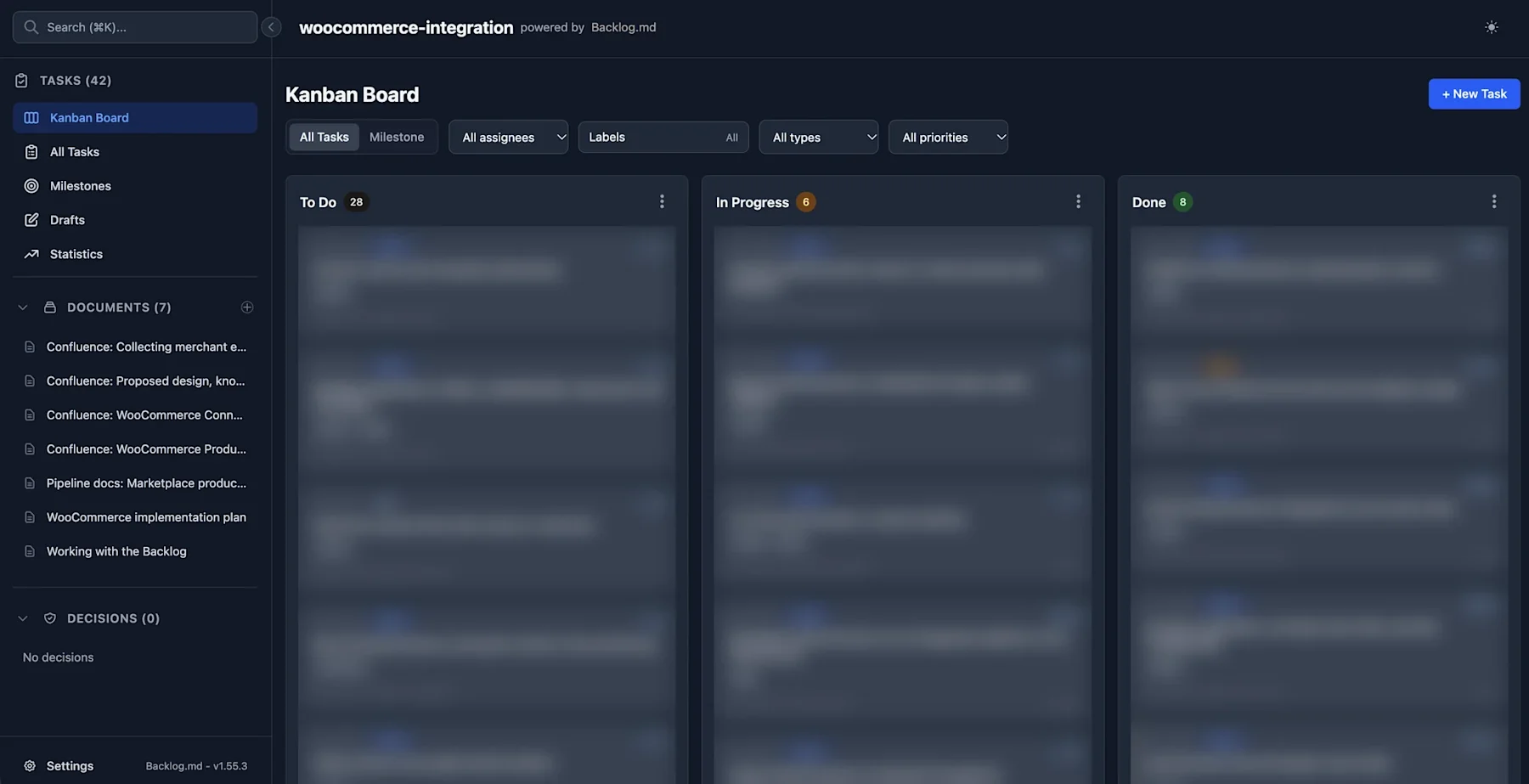
backlog browserserves a local drag-and-drop board.An MCP server.
backlog mcp startexposes the backlog to AI agents as tools, so they can read, create and update tasks directly.Your editor. They're Markdown files, so you can open one like any other file, though the project recommends making changes through the CLI, MCP or web UI so the metadata stays consistent.
They all read and write the same files, so there's nothing to sync.
Docs, decisions and milestones live alongside the tasks. Backlog.md also manages design docs, lightweight decision records and the milestones tasks roll up into. On our project, the docs folder holds the product requirements, the design and its known risks, a step-by-step implementation plan, and a guide on how the team works with the backlog. Tasks link to the docs that explain them. When a decision changes mid-flight, it gets written into the task it affects, with a date.
The benefits we've seen in the AI era
The plan is versioned like the code. Because the backlog is in git, every change to scope has an author, a timestamp and a commit message. "When did we decide the callback token expires after 15 minutes?" becomes a
git logquestion instead of an archaeology project.Context stops leaking. In a traditional setup, the most valuable knowledge is the hardest to find: a review comment explaining why an approach was rejected, a conversation that settled an edge case. With Backlog.md we have a habit: when something like that comes up, it goes into the relevant task's implementation notes. Months later, whoever picks up the work, human or AI, finds the reasoning sitting next to the requirement it explains.
No lock-in. If you stopped using the tool tomorrow, you'd still have a folder of well-structured Markdown files. The data has always been yours.
Agents need context, and the repo is where they look. An AI coding agent is only as good as the context it gets. Hand it a one-line ticket title and it will guess. Hand it a task file with acceptance criteria, a plan, links to the design docs and notes from the last review, and it can do work you'd trust. Backlog.md puts that context where the agent already is. The agent reads the task the way it reads the code.
It survives the session. AI sessions are ephemeral. Context windows fill up, sessions end and machines reboot (ours did recently). Anything that lived only in an agent's conversation is gone; anything written into the backlog survives. It becomes the team's long-term memory, and each new session starts by reading it instead of rediscovering everything.
Everyone sees the same picture. Engineering and the agents all read the same tasks. When the plan changes, it changes in one place.
Onboarding becomes easy. A new teammate, or a new agent session, gets up to speed by reading the backlog or actually asking their agent "What's next?" or "What's our current status?".
It keeps agents honest and humans in charge. AI agents are fast, which makes it easy to lose track of what they've done and why. A shared backlog fixes that: every agent's progress is visible as changes to files you can read, review and revert. Scope stays with the humans: we decide what goes into a task, and the agent works to those criteria rather than inventing its own.
We've taken this a step further. We run several AI workers in parallel, each on its own PR in its own git worktree, coordinated by a supervising session. One dedicated worker owns all Backlog edits. Everyone else, human or agent, asks it to record decisions and status changes. That gives us one clean, ordered stream of Backlog commits instead of a dozen agents editing the same files at once.
A workflow that scales with the team
Here's what has worked for us:
Keep the backlog on its own shared branch. Our backlog lives on a long-lived
backlogbranch that everyone pushes to directly. Feature PRs stay focused on code, and the backlog never goes stale on an old feature branch.Give it its own worktree. Each developer checks the
backlogbranch out in a separate git worktree, so Backlog edits never interfere with the code they're working on.Commit and push right away. Uncommitted edits are invisible to colleagues. Every change gets pushed immediately with a clear, conventional commit message.
Record decisions where they apply. A decision goes into the task it affects, dated, so the "why" travels with the "what".
Getting started
It takes a few minutes. Install the CLI with npm install -g backlog.md, run backlog init in your project (the setup wizard can also configure your AI agent's integration for you), then try backlog task create "My first task" and backlog board. To add the MCP server to Claude Code by hand, the README gives a one-line claude mcp add command that registers backlog mcp start once at user scope, so it covers every repo.
Then ask the agent to plan your next feature as Backlog tasks, and see how much better its work gets.
The shift to AI-assisted development changes what a backlog is for. It used to be a coordination tool for humans. Now it's also the briefing document for every agent that touches your code.